
Funding documents
Help With CRA Documents
We need a few screenshots from your CRA account to proceed with your funding application.
In order to proceed with funding for your business we will need additional information from you regarding your CRA account. Please follow the instructions below.
Step 1: Access your CRA account
Go to CRA sign-in services and log in to your account.
Step 2: Locate the Payroll section (RP)
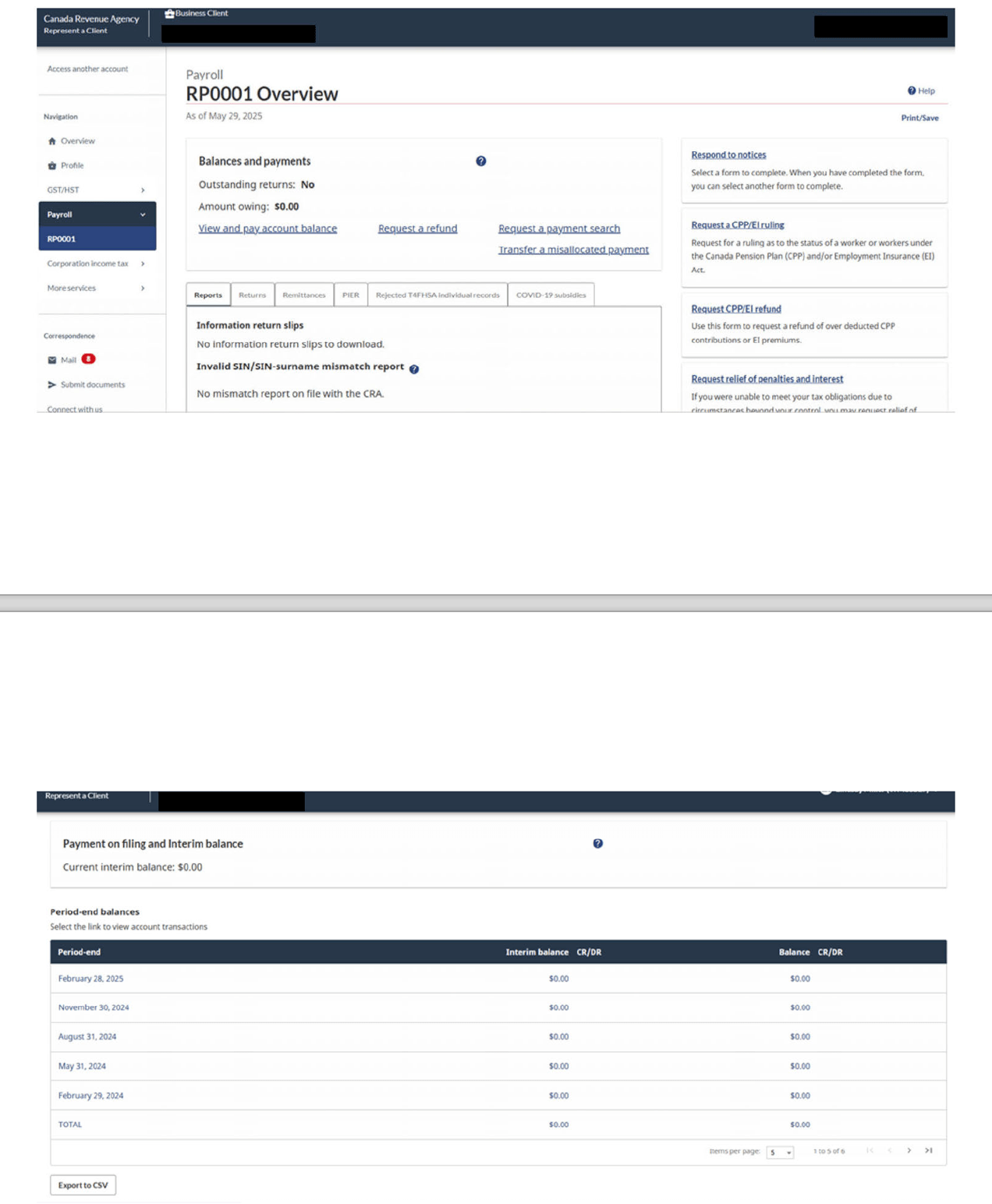
Take a full-page screenshot of the Payroll (RP) section and save it as a PDF file. See the example below.
Step 3: Locate the Sales Taxes section (RT)
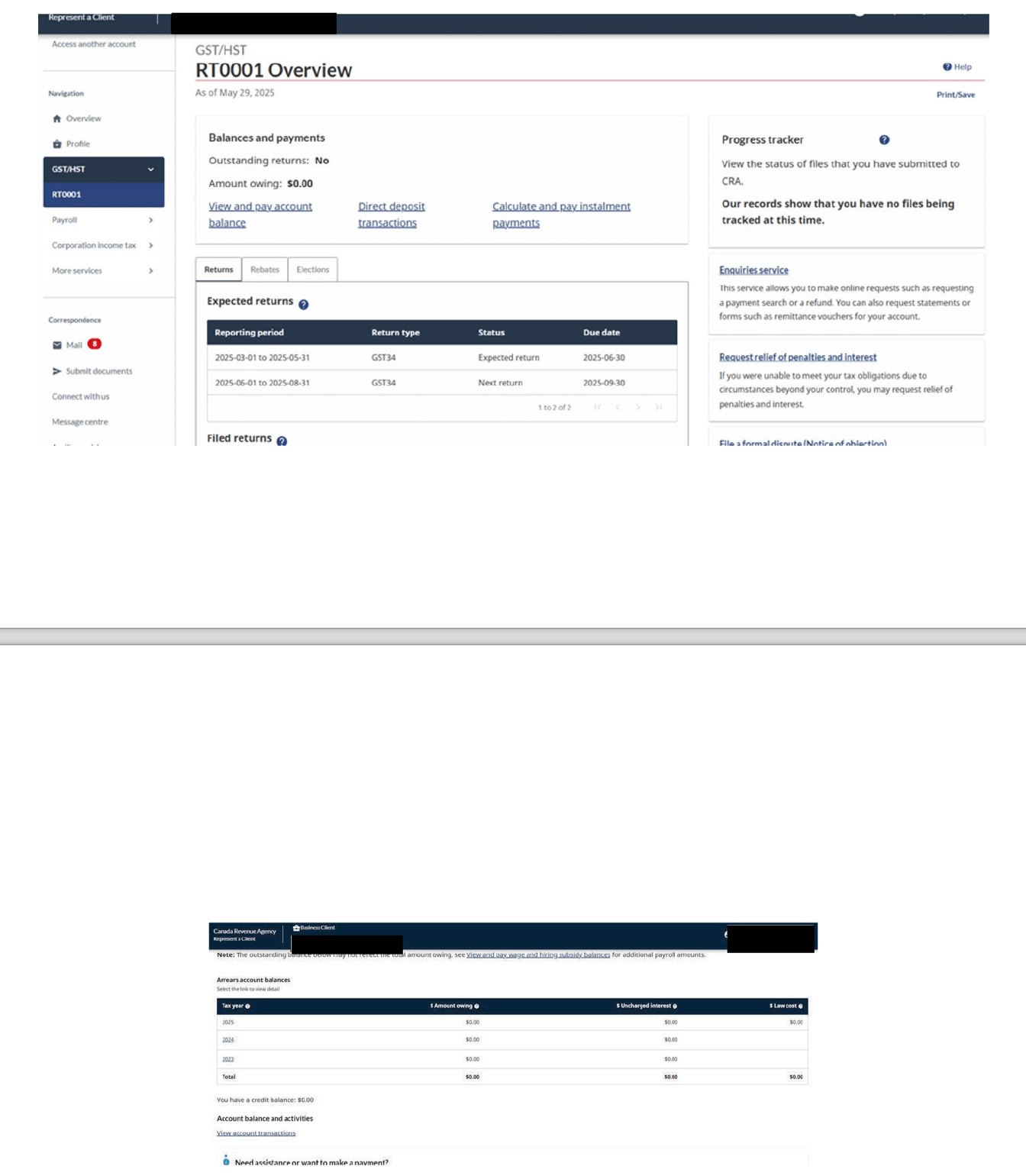
Take a full-page screenshot of the Sales Taxes (RT) section, including your previous years of business, and save it as a PDF file.
Step 4: Send your screenshots to CanaCap
Place the PDF files in a folder named with your full name and business name, then email it to your Funding Specialist or support@canacap.ca with your business name in the subject line.